
Quick Summary
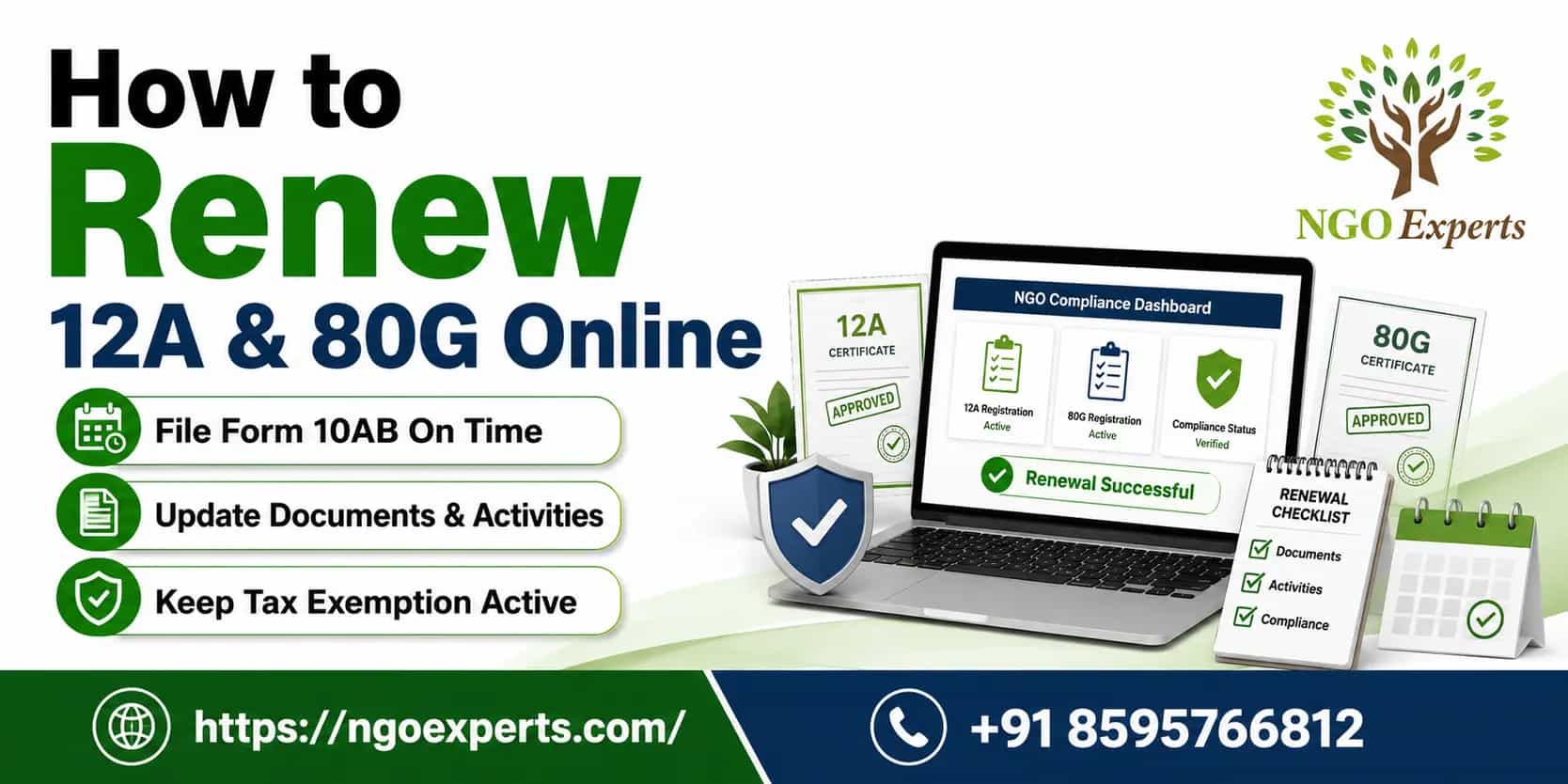
If you are running charitable organisations in India, it is nevertheless said that you are eligible to enjoy certain tax exemptions and benefits in India. These registrations, governed by Sections 12A/12AB and 80G of the Income Tax Act, support your nonprofit by enabling tax-exempt operations and attracting funding. However, renewing your NGO's 12A and 80G online has become streamlined and efficient in 2026.
This comprehensive guide walks you through the entire process, from understanding eligibility requirements to completing the online application. With proper documentation and following our step-by-step process, you can successfully renew both registrations and maintain your tax-exempt status while continuing to receive tax-deductible donations.
Overview
Whether you are a trust, society, or Section 8 organisation, the renewal of 12A and 80G registration is crucial for NGOs operating in India, as it can help provide tax exemptions and enable donors to claim deductions. Section 12A of the Income Tax Act grants tax exemption to charitable organisations, while Section 80G allows donors to claim deductions for their contributions. Both registrations require periodic renewal to maintain compliance with regulatory requirements.
The online renewal process, introduced by the Income Tax Department recently, has significantly simplified the procedure, thereby reducing paperwork and processing time. This digital advancement has not only ensured faster approvals but also shown better transparency throughout the renewal process.
Section 12A of the Income Tax Act, 1961
Registration of a trust or charitable institution under section 12A/12AA certifies that the Income Tax authorities recognise the registered institution or trust as having been incorporated or established for a charitable purpose. Section 12A deals with institutions and trusts registered before 1996, and Section 12AA deals with institutions and trusts registered after 1996. The NGOs have to obtain a 12A certification to avail of tax benefits, regardless of whether they are constituted as a society, a trust, or a not-for-profit company.
Section 80G of the Income Tax Act, 1961
The trusts or charitable institutions register themselves under Section 80G to enable the donors who contribute to them to avail themselves of certain tax benefits on their contributions. Registration under Section 80G of charitable institutions is intended to benefit their donors by enabling them to make contributions. However, NGOs that are registered under both Sections 12A and 80G are eligible to avail of government funding.
Benefits of Section 12A & 80G Registration
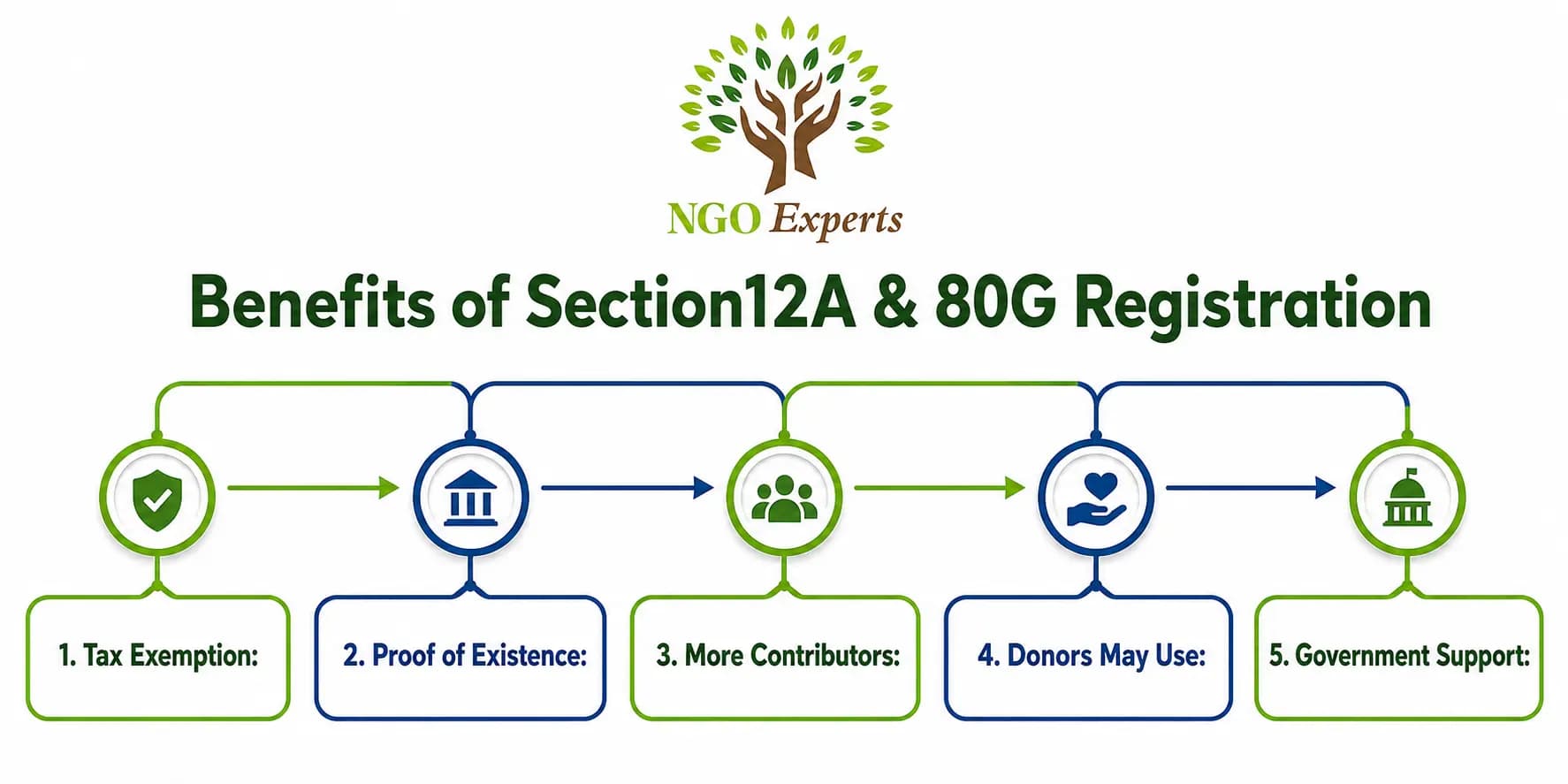
Here are some crucial benefits of 12A & 80G Registration
- Tax Exemption: The NGO or society registration would be exempt from paying taxes by claiming this exemption. The NGO would need to provide the 12A certificate to make this exemption claim.
- Proof of Existence: This certificate would serve as a legally binding declaration of the entity's registered status to the government. The entity would have access to the necessary legal documentation to obtain government loans or grants.
- More Contributors: Having this credential improves both the NGO's or society's reputation and the number of donors, among other factors. Under this arrangement, more donors would be eligible to file tax exemptions.
- Donors May Use: This NGO Certificate It helps the donors to reduce their tax obligations while still paying a set amount of tax to the appropriate government agencies.
- Government Support: NGOs and societies with these certificates are more likely to receive various grants and related funding from the government.
When do you need to renew 12A and 80G Online?
NGOs, trusts, societies, and Section 8 companies with existing 12A/80G certificates that are going to expire soon must renew them.
The deadline for filing depends on whether you currently hold a 5-year regular registration or a 3-year provisional one.
1. Renewal of Regular Registration (5-Year Period)
If your trust or institution already holds a regular registration (granted for 5 years), you must file Form 10AB for renewal:
Deadline: At least six months before the expiry of the 5-year registration period. Typical Case: For many NGOs that received their first 5-year renewal effective from April 1, 2021 (expiring on March 31, 2026), the deadline to file Form 10AB is September 30, 2025.
2. Conversion of Provisional Registration to Regular Registration
If you hold a provisional registration (granted for 3 years), you must file Form 10AB to obtain a regular 10-year or 5-year registration:
Deadline: Whichever of the following is earlier: At least six months before the expiry of the 3-year provisional registration. Within six months of the commencement of activities of the trust/institution.
Special Cases Like Foreign Funding
If your NGO receives money from abroad and holds an FCRA license, renewal is non-negotiable. It keeps your operations legal and funding flowing smoothly, avoiding shutdowns or penalties.
Typical Renewal Timeline:
12A and 80G Registration: Valid for 5 years from the date of approval
Documents Required for Renewal of 12A and 80G Registration
Renewing your 12A and 80G registrations requires uploading clear, scanned PDF documents to the Income Tax e-Filing portal, ensuring no rejections due to mismatches. Here is a complete list of documents required for online renewal of 12A and 80 G registration.
Primary Documents:
- Registration Certificate: Original trust deed or incorporation certificate
- PAN Card: Your non-profit’s permanent account number
- Address Proof: Utility bills, rent agreement, or property documents
- Audited Financial Statements: Last three consecutive years
- Income Tax Returns: Filed returns for the last three years
Operational Documents:
6. Annual Reports: Detailed activity reports showing organisational work
7. Board Resolution: Authorising the renewal application
8. Bank Statements: Complete financial transaction records
9. Activity Report: Details about activities done by the NGO in past 3 years
Digital Requirements:
10. Digital Signature Certificate: Class II or Class III DSC
11. Scanned Documents: High-quality PDF format (less than 2MB each)
12. Photographs: Recent organisational activities and infrastructure
Mandatory Requirements for 12a and 80g Renewal
| Requirement Category | 12A Renewal | 80G Renewal |
| Organization Details | Registration Certificate | Registration Certificate |
| Financial Documents | Audited Financial Statements (Last 3 years) | Audited Financial Statements (Last 3 years) |
| Activity Reports | Annual Activity Reports | Annual Activity Reports |
| Income Tax Returns | ITR for the last 3 years | ITR for the last 3 years |
| Governing Documents | Trust Deed/MOA & AOA | Trust Deed/MOA & AOA |
| Board Resolution | Authorisation for renewal | Authorisation for renewal |
| Digital Signatures | DSC of Authorised Person | DSC of Authorised Person |
| Bank Statements | Last 12 months | Last 12 months |
| Utilization Certificates | Fund utilisation details | Donation utilization |
| Compliance Certificates | FCRA (if applicable) | FCRA (if applicable) |
| Application Forms | Form 10A | Form 10G |
| Fee Payment | Prescribed renewal fee | Prescribed renewal fee |
Step-by-Step Process to Renew 12A and 80G Online
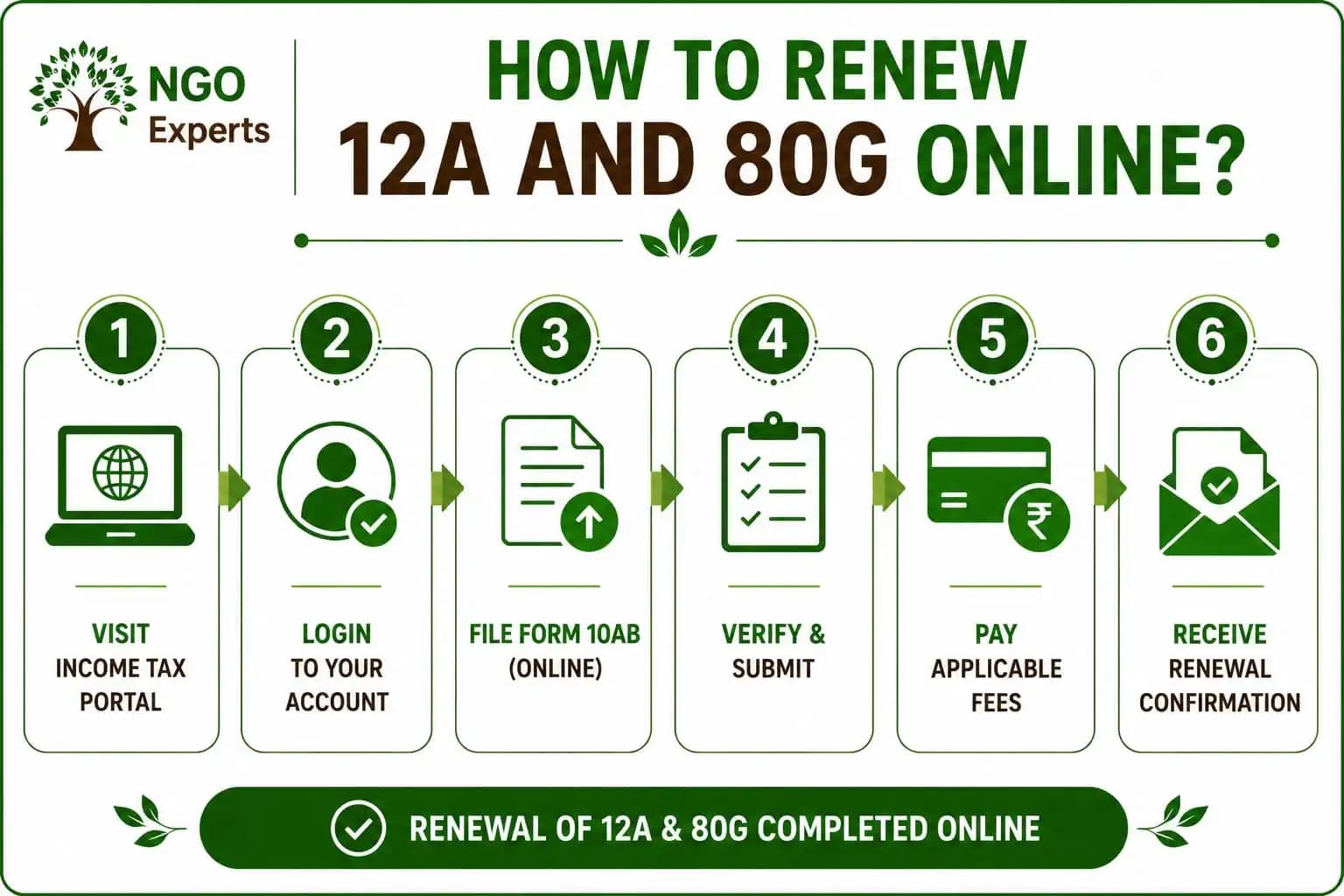
Step 1: Document Collection
- Gather all required documents as per the checklist
- Ensure all documents are updated and properly attested
- Scan documents in PDF format with clear visibility
Step 2: Digital Signature Procurement
- Obtain a Class II or Class III Digital Signature Certificate
- Ensure DSC is registered with the authorised person
- Test DSC functionality before starting the application
Phase 2: Online Application Submission
Step 3: Portal Access
- Visit the official Income Tax e-filing portal
- Log in using the organisation's credentials
- Navigate to the "Exemptions" section
Step 4: Form Selection
- Select Form 10A for 12A renewal
- Select Form 10G for 80G renewal
- Choose the "Renewal" option from the dropdown
Step 5: Application Filling
- Enter organisation details accurately
- Upload the required documents in the specified format
- Fill in financial information from audited statements
- Provide detailed activity descriptions
Step 6: Review and Validation
- Review all entered information thoroughly
- Use system validation to check for errors
- Make necessary corrections before submission
Phase 3: Submission and Follow-up
Step 7: Fee Payment
- Calculate applicable renewal fees
- Make an online payment through net banking/card
- Save the payment receipt for records
Step 8: Final Submission
- Apply a digital signature to the application
- Submit the completed form online
- Note down the acknowledgement number
Step 9: Tracking and Follow-up
- Monitor application status regularly
- Respond to any queries from the department
- Maintain communication records
Quicktips
- Separate Applications: You must file separate Form 10AB applications for Section 12A (tax exemption for the trust) and Section 80G (tax deduction for donors).
- Consequences of Missing the Deadline: Failure to file Form 10AB on time can lead to the cancellation of your registration, making the trust's income taxable and disqualifying donors from claiming 80G deductions.
- Start 6 Months Ahead: Your benefits end March 31, 2026, so try to submit by September 30 to avoid the chance of rejection.
- Check your last 3 years' accounts for a full 10-year renewal if your income is under ₹5 crore.
- Use PDF files only, under 5MB and name them simply like "TrustPaper_Updated.pdf" to beat website problems.
- Get DARPAN ID Now: Sign up free on the Niti Aayog site to receive donor tax breaks, plus government funds.
- Use Mobile Number OTP for Fast Sign instead of slow digital signatures, as Aadhaar OTP verifies you right away on the tax website.
- Check Weekly and Stay Calm
Conclusion
With the advancement of digital transformation, renewing your 12A and 80G registrations online is no longer a complicated and lengthy process. The digital transformation has made the renewal process more accessible, transparent, and efficient. Remember that, by staying proactive with your renewal timeline and maintaining proper records throughout the year, you ensure uninterrupted operations and sustained donor confidence.
Frequently Asked Questions
How long does the online renewal process take?
Typically, it takes 45-60 days from submission, provided all documents are complete and accurate.
Can I apply for both 12A and 80G renewals simultaneously?
Yes, you can submit both applications together using the same set of documents.
What happens if my registration expires before renewal approval?
There may be a gap in tax benefits. Apply 6 months before expiry to avoid this situation.
Are there any penalties for late renewal applications?
Late applications may face scrutiny and potential rejection. Timely submission is crucial.
Can I track my application status online?
Yes, use your acknowledgement number to track status on the e-filing portal.
Author
Srijita Chatterjee
I am a Content Specialist holding a Master’s degree and with over 5 years of experience in the creative arena. I specialize in breaking down complex concepts into clear, understandable insights that help my viewers deeply engage and retain. Known for my approachable and engaging style, I am committed to providing accurate, trustworthy information that empowers individuals and organizations to make informed decisions and achieve their goals.
Written by Srijita Chatterjee. Last updated on August 25, 2026